
UEBA is deployed in the cloud. Logpoint sends the data to UEBA for threat analysis by different methods depending on the configured mode of operation. The modes of operation are:
Standalone mode
Distributed Logpoint mode
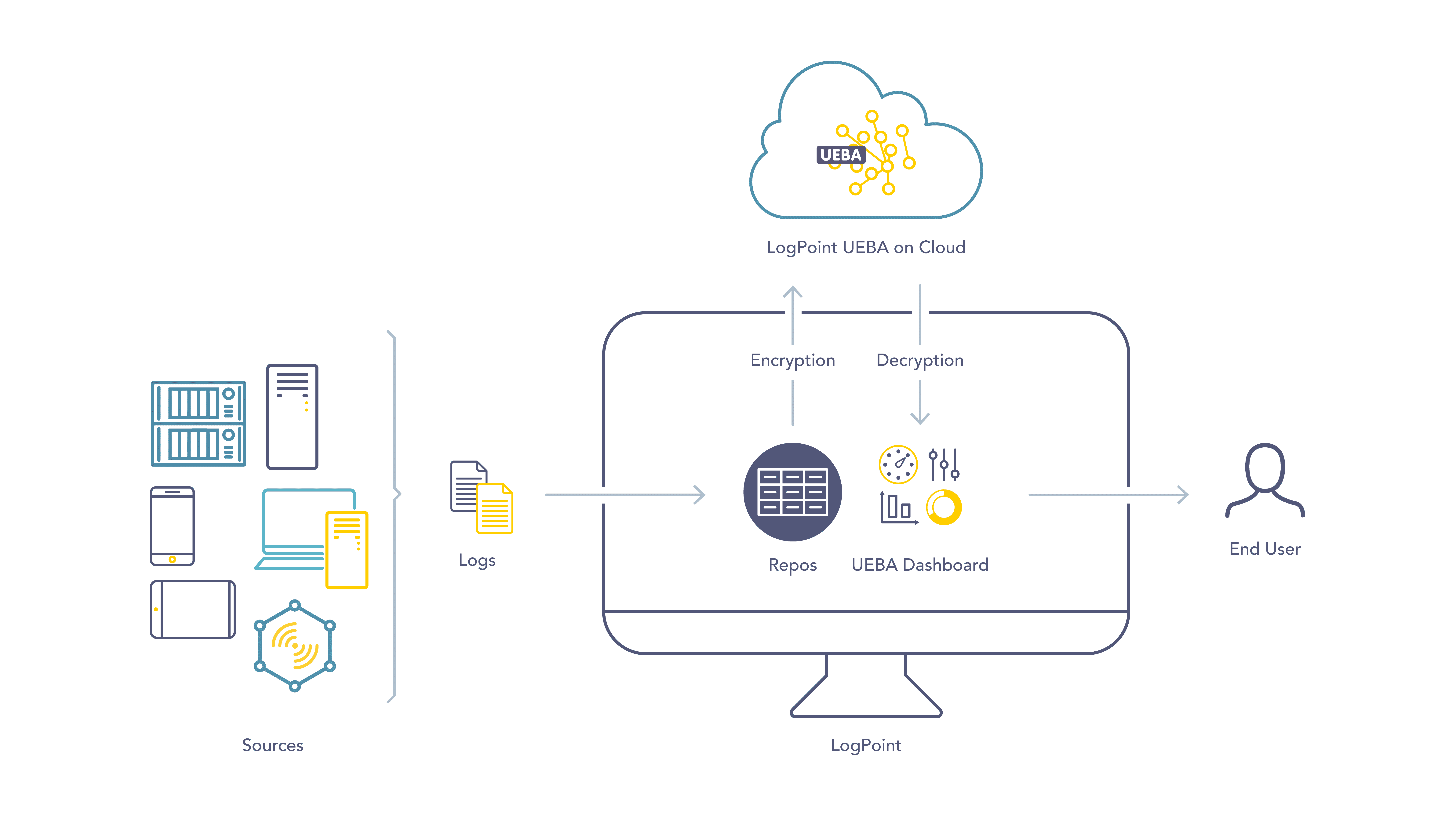
Standalone Mode
In Standalone mode, Logpoint collects the logs from the configured sources, normalizes and enriches them. It then encrypts user-specific sensitive data from the selected repos and sends them to the cloud.
In the cloud, UEBA matches the incoming logs with the previously established baselines. It then returns the information of the anomalies and the risk scores for each configured entity. Logpoint decrypts the output and displays the results in the UEBA dashboard. The output obtained from UEBA is sent to Logpoint every day after midnight.
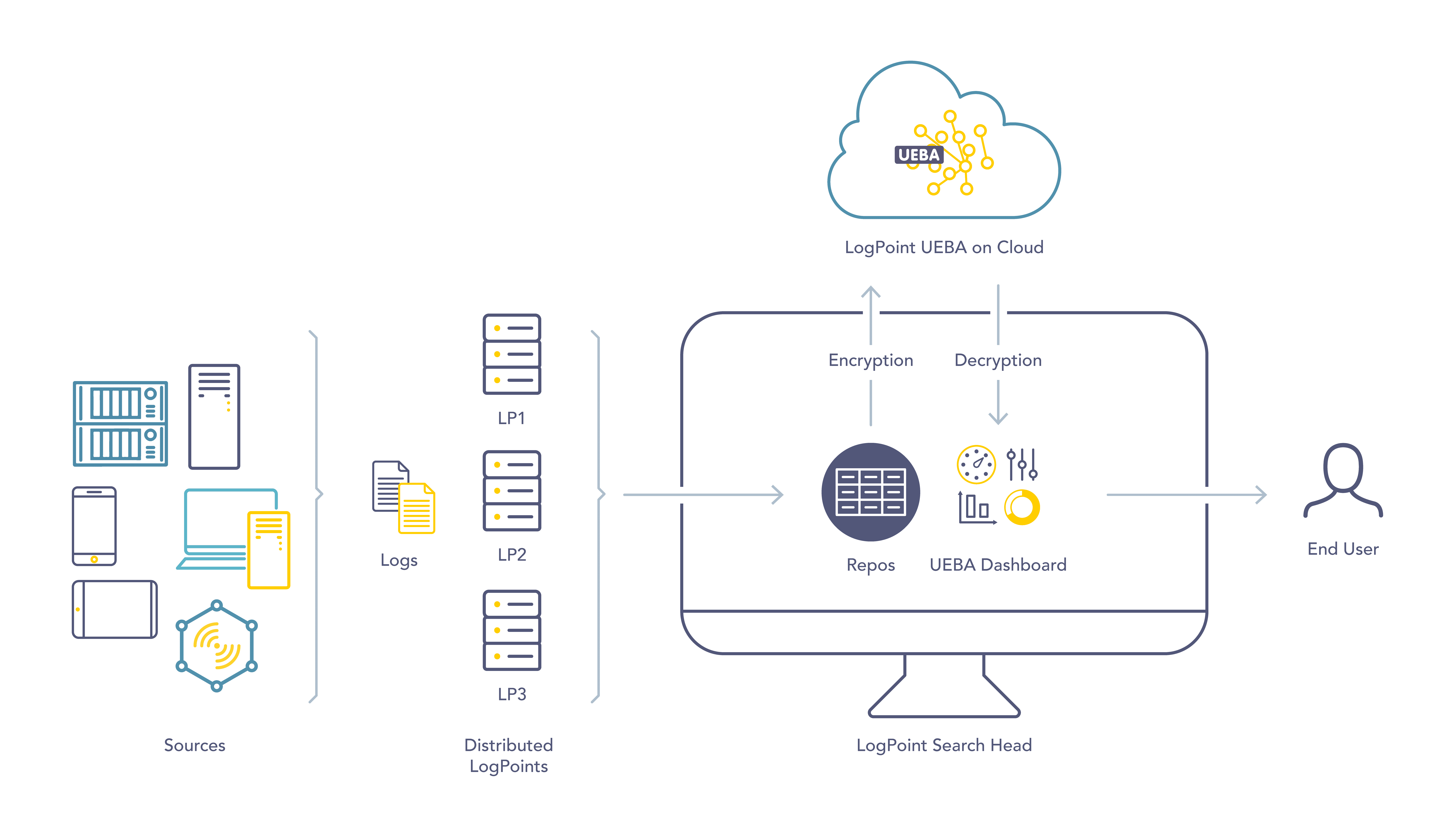
Distributed Logpoint Mode
In Distributed Logpoint mode, all the Distributed Logpoints collect the logs from the configured sources, then normalize and enrich them. The Search Head then collects the logs from the selected repos of the Distributed Logpoints as well as the Search Head. Finally, it encrypts user-specific sensitive data and sends them to the cloud.
In the cloud, UEBA matches the incoming logs with the previously established baselines. It then returns the information of the anomalies and the risk scores for each configured entity. The Search Head decrypts the output and displays the results in the UEBA dashboard. The output obtained from UEBA is sent to Logpoint every day after midnight.
UEBA can be enabled exclusively in the Logpoint Search Head. However, if no repositories from the DLP are selected in the Search Head, you can also enable UEBA in the DLP. Once UEBA is enabled in the DLP, you cannot select the repositories of the DLP in the Search Head.
If the Logpoint Search Head is offline or experiencing issues, you cannot enable UEBA in the DLP machine, even if no DLP repositories are selected in the Search Head.
If you have selected repositories from the DLP machine in the Search Head, you cannot disable the Open Door feature in the DLP machine. To disable Open Door and subsequently UEBA in the DLP, you must remove all selected DLP repositories from the UEBA Board in the Search Head. Disabling Open Door effectively disables UEBA in the machine. If you wish to enable UEBA in the DLP machine again, you need to re-enable the Open Door and select the DLP repositories in the Search Head.
UEBA dashboard is not present in the DLP.
Logpoint stores the data from each customer in separate logical containers in the cloud. The separation ensures that there is no association between your data and the data of other customers.